
Back to school with ateams: first-week setup
Week one always looks the same: a new GroupMe, a Doc nobody opens, and someone who becomes the unpaid ChatGPT middleman. By week three you're hunting for “who owns the slides?” under a pile of “lol ok” replies.
You don't need a perfect system. You need one place for the chat, the tasks, and the AI answers your whole group can see. That's what ateams is for. This guide is the 15-minute setup for the first week of school.
What you get on day one
Free on web, iOS, and Android. Sign up, create a team, and you get four AI teammates on every team.
Group chat and DMs
Project talk and side conversations in one app, not buried under sticker reactions.
Tasks with due dates
Owners and deadlines sit next to the chat, so "who has the slides?" isn't forty messages up.
Video calls
Quick syncs without spinning up another Zoom link for every check-in.
Four AI teammates
Nola for research, Cora for content, Radar for reminders, and Vera for morale. @mention them like classmates.
First-week checklist (about 15 minutes)
Make one team (not five chats)
Name it after the class or project. Invite the people who actually need to see the work. Keep Discord or GroupMe for memes if you want. Put the plan in ateams.
Post the syllabus or brief once
Paste the PDF, a photo of the handout, or the rubric on the team wall and pin it. Same source for everyone, including AI teammates, and it won't scroll away in chat.
Add three tasks with owners
Even rough ones work: research, draft, slides. Assign a person (or an AI teammate) before week two. Empty boards stay empty.
Try one @mention while it's calm
@Nola for a study order, @Radar for a reminder, @Cora for a slide outline, or @Vera for a kickoff message. The point is seeing the answer in the thread, not in someone's private tab.
Already mid-project and the work is unfair? See how to divide work in a group project. Building a weekly exam-prep rhythm? Use the study group guide.
Who to @mention first
Every team ships with four AI teammates. Pick one for week one; you can meet the rest later.

Nola
Your know-it-all
Syllabus questions, readings, research, nearby places, and "what should we do first?"
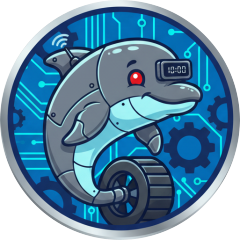
Radar
Your reminder robot
One-time and recurring reminders so the first deadline doesn't sneak up.

Cora
Your content creator
Text, images, short videos, and slides the group can see.
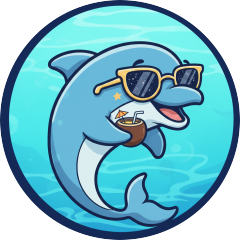
Vera
Your chill vibes
Icebreakers and a less awkward first meeting.
Full walkthrough: Introducing your AI pod. Why shared AI beats a private tab: AI teammates vs chatbots.
Copy-paste prompts for week one
Drop these in your team chat after you invite people. Edit the subject or deadline to match your class.
Turn the syllabus into a plan
“@Nola here's our syllabus. What should we focus on in the first two weeks, and what can wait until closer to the midterm?”
Don't miss the first deadline
“@Radar remind the whole team 3 days and 1 day before our first assignment is due. Tell us to post status in chat.”
Split the first project fairly
“@Nola we have a 4-person group project. Suggest fair roles for research, writing, and slides, and list the first three tasks we should put on the board.”
Make the first meeting less awkward
“@Vera write a short kickoff for our first study session: one goal for today and one question each person answers.”
Coming from Discord, GroupMe, or ChatGPT?
You don't have to delete anything. Move the project talk (owners, due dates, shared AI) into ateams. Side-by-side comparisons: Discord vs ateams, GroupMe vs ateams, and ChatGPT vs ateams.
Related pages
- StudentsAI teammates for class projects, study groups, and clubs.
- Group projectsChat, tasks, video, and AI teammates for deliverables.
- Study groupsExam prep with shared chat, tasks, and AI.
- DownloadWeb, iOS, and Android in one place.
- Divide work fairlyRoles and owned tasks once the team exists.
- Study group guideWeekly rhythm after week one.
- Introducing your AI podMeet Cora, Nola, Radar, and Vera.
Common questions
Is ateams free for students?
Yes, ateams is free on web, iOS, and Android. Premium removes ads and raises AI usage limits.
Do we have to replace Discord or GroupMe?
No. Keep them for hanging out. Use ateams for the class project or study group: decisions, owners, due dates, and AI answers everyone can see.
What should I do in the first week of school?
Create one team, invite your group, pin the syllabus or assignment brief on the wall, add a few tasks with owners, and try one @mention. That takes about 15 minutes and saves a lot of scrambling later.
Which AI teammate should I try first?
Start with Nola if you have readings, a vague brief, or a nearby-place question. Radar if you keep missing deadlines. Cora if you need text, images, a short video, or slides. Vera if your first meeting needs a less awkward kickoff.
Do this today
Create a team for one class or project. Invite two people. Post the brief. Add three tasks. Try one @mention. That's enough for week one. The chat, the board, and the AI teammates will still be there when the workload hits.
Start your back-to-school team
Free on web, iOS, and Android. Invite classmates and try one @mention this week.
Get started